The progress over the last 10 days has been very similar to previously, in that I've been mostly doing art with a little story development also.
I've been thinking quite a bit about how slow my progress has been compared to my expectations. I thought that because the game has a fairly short and linear story that would mean I could complete the whole project within a couple of months doing everything myself. It's been pretty much 2 months now and I've got a bit of a story, a collection of art and music assets (a lot of which might not fit into the game) and about 4 seconds of game coded in.
I don't feel disappointed, if anything the realisation has given me added passion to stop meandering and get some of the bulk of the actual game down. Once I've done that I'll have plenty of tasks in terms of sprite-creating, split-testing audio, etc. to get on with, which will be more worthwhile than mindlessly editing files that could very well not even make it into the game.
I've just been enjoying doing the art so much, I think especially as it's new to me, I'm learning lots about drawing and digital editing. I think it's a good idea to learn as much as possible when you are in that sort of highly receptive state - where you are thirsty for more knowledge. So it's a balance between derailing my new found passion for art or derailing my game project. Only neither need to get derailed if I can use my time as effectively as possible.
This has been a strange blog post. Right, back to the code!
:)
Thursday, 22 January 2015

Monday, 12 January 2015
Day 43 - Backgrounds and some handy photoshop shortcuts
Little progress report:
I've finished the first part of my script. Which is just the first draft and will need some editing in time.
But mostly I've been working on art still! I've got about 5 characters designed and have had a go at initial sprites too. Also getting through the backgrounds a bit, maybe done 25% of backgrounds at this point.
Story: 25%
Sprites: 5%
Backgrounds: 25%
Music: 10%
Coding: 2%
Put like that I guess I still have a long way to go!
When I'm a better artist I'd love to draw some backgrounds. But for this project I'll be using edited photos.
Handy photoshop shortcuts I've learned in the last few days:
CTRL+U : brings up the hue/saturation settings (yay!)
CTRL+L : brings up the levels settings
I : changes tool to eyedropper
B: changes tool to brush
E: changes tool to eraser
These aren't exactly hidden away, but for some reason I hadn't used them until a few days ago after watching some helpful youtube videos. I would usually link to the helpful videos, but I can't remember which videos they were! So instead I'll link to this channel which has some cool process videos about working digitally: https://www.youtube.com/user/EzDRAWZ/videos
I've finished the first part of my script. Which is just the first draft and will need some editing in time.
But mostly I've been working on art still! I've got about 5 characters designed and have had a go at initial sprites too. Also getting through the backgrounds a bit, maybe done 25% of backgrounds at this point.
Story: 25%
Sprites: 5%
Backgrounds: 25%
Music: 10%
Coding: 2%
Put like that I guess I still have a long way to go!
 |
| Background made from a photo I took last summer |
Handy photoshop shortcuts I've learned in the last few days:
CTRL+U : brings up the hue/saturation settings (yay!)
CTRL+L : brings up the levels settings
I : changes tool to eyedropper
B: changes tool to brush
E: changes tool to eraser
These aren't exactly hidden away, but for some reason I hadn't used them until a few days ago after watching some helpful youtube videos. I would usually link to the helpful videos, but I can't remember which videos they were! So instead I'll link to this channel which has some cool process videos about working digitally: https://www.youtube.com/user/EzDRAWZ/videos
Friday, 2 January 2015
Day 33 - Character designs for game. Colour palette tip.
Over the last couple of weeks I've been mostly focusing on improving my drawing abilities and coming up with character designs. I feel spending time on these areas is worth delaying any actual game coding or story writing, but I'll have to switch back from art mode to game mode at some point or I'll be drawing forever.
A little tip I picked up (I think from Mark Crilley - www.youtube.com/user/markcrilley) to come up with a colour palette is to take a photo with some interesting colours in and use photoshop to simplify this into a few dozen colours.
 |
| Glitchmode Esme |
 |
| Photoshop colour palette from photo |
I did play a little with the saturation first (under Enhance > Adjust Colour > Adjust Hue/Saturation) and then applied the Crystallize filter (under Filter > Pixelate > Crystallize).
Tuesday, 23 December 2014
Day 23 - Progress report
A quick update before christmas - and yes I'll be doing a weekly blog rather than daily now I think.
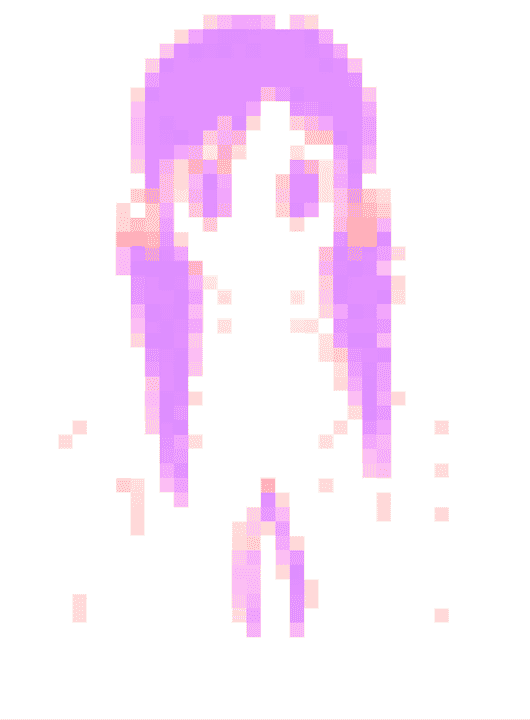
I've been working on asset creation over the last week, I've got a textbox and some effects done, as well as a character design and even a sprite!
I'm a little undecided whether I'll use a pixelated version or a cleaner one, I think I'll decide when I'm testing later down the line.
I will do a blog on my process from sketch to sprite once I have a process!
I've been working on asset creation over the last week, I've got a textbox and some effects done, as well as a character design and even a sprite!
 |
| Character sprite |
I will do a blog on my process from sketch to sprite once I have a process!
Friday, 12 December 2014
Day 12 - Work on the project every day
I'll be doing some work on my game project every day, I might have to start doing a weekly blog as time goes on and I have more work to do on weekdays, but I'm making a real conscious effort to always do something to further my game even if I only have a small window of time.
This is one of those days where time hasn't allowed for much work on the project. I would technically class taking a few minutes to think about any aspect of the game development as working, but I'm committing to producing something tangible every day even if it doesn't make it to the final game.
So I made a new sound effect.
It was a sample of my voice which I timestretched, pitched down a semitone, duplicated and offset by a very small amount, running through delay and bitcrusher. It may be a fair bit quieter than the other FX I've made, but that could work well in the game possibly, if not and I still want to use it i'll re-import and boost the gain.
Thursday, 11 December 2014
Day 11 - A font, a new resolution and typewriter effect for Ren'Py
I was reading a blog post by a game developer ( https://cindysimeti.wordpress.com/2014/03/05/vn-screencaps-and-another-project/ ) which mentioned a nice font and provided a link to dafont - http://www.dafont.com/ - I took a look to see if I could find something I liked.
After a little browse I came across a beautiful font that fits my games aesthetic.
http://www.dafont.com/kolquatfunkybitm.font?l[]=10&l[]=1
Kolquat Funky Bitm by http://www.koltastik.de/ I asked for permission to use the font and the creator, Kolja, said that was fine and asked me to credit it if possible, which I will of course do.
Loading the font as the default font for the game wasn't quite right, the buttons are to small for it to be nicely legible. So I've opted to add the font for each character - this doesn't feel like a very efficient method, I'll look into a better way to do this.
define m = Character('Me', color="#808080", what_slow_cps=38, what_font="KolquatFunkyBitm.ttf")
Looks good for testing purposes. Here is a little example of the font which may become the credits screen later down the line:
 |
| The beautiful Kolquat Funky Bitm font |
Typewriter effect:
You can see in the small code snippet above "what_slow_cps=38" which I added as I couldn't get it to default to this in options.rpy - I had this problem last project, but not sure what the resolution was. I'm sure I'll find it again at some point, though this will work fine and as the cast is small won't get repeated lots.
From 1024x768 to 1280x720:
Started working on resizing my assets - I'm really glad I did the mobile test yesterday and I only have a few images to resize! If I'd have waited several weeks before testing the chances are I'd either not bother changing the resolution or I'd have a lot more work to do to resize everything.
Wednesday, 10 December 2014
Day 10 - Ren'py to android via windows 8
Wanting the game to look nice on mobile and knowing I'd have some time today I decided to test my game on my android phone and tablet today.
It's a good job I had some time, as it took a good few attempts. I was expecting teething issues as I've done a little work with eclipse on windows and android before, which had complications. I ran into problems pretty much immediately:
I have a lot of screenshots and photos of errors, here is a sample of some of the other attempts:


I spent a while on the Lemmasoft forums: lemmasoft.renai.us and the official docs http://www.renpy.org/doc/html/android.html
The first thing I changed was my project name as it had numbers in, which I wanted to eliminate as a potential problem. I then realised I had the wrong java dev kit (JDK) installed - 32bit version is required at the moment. I moved the Ren'Py directory to C:\ rather than in my user folder. Well none of these things has helped all that much in Windows 8, I'm still getting a Access is Denied error even with new shorter path and re-installs and running ren'py as administrator.
Luckily I have a Windows 7 system to hand (I hear this whole process is much smoother on linux, so that is probably the way to go!) and with a little bit of manual intervention - running the sneaky android.bat! - I got a successful build!
Once I had my apk file I dropped it into Google drive and downloaded it onto my phone and tablet. It was all worth it, as I think I've now made the decision to change my screen resolution to 1280 x 720.
It's a good job I had some time, as it took a good few attempts. I was expecting teething issues as I've done a little work with eclipse on windows and android before, which had complications. I ran into problems pretty much immediately:
 |
| Ren'py to android attempt |
 |
| Looking for android.bat |
The first thing I changed was my project name as it had numbers in, which I wanted to eliminate as a potential problem. I then realised I had the wrong java dev kit (JDK) installed - 32bit version is required at the moment. I moved the Ren'Py directory to C:\ rather than in my user folder. Well none of these things has helped all that much in Windows 8, I'm still getting a Access is Denied error even with new shorter path and re-installs and running ren'py as administrator.
Luckily I have a Windows 7 system to hand (I hear this whole process is much smoother on linux, so that is probably the way to go!) and with a little bit of manual intervention - running the sneaky android.bat! - I got a successful build!
Once I had my apk file I dropped it into Google drive and downloaded it onto my phone and tablet. It was all worth it, as I think I've now made the decision to change my screen resolution to 1280 x 720.
Bugs 20 Tech 3 Design 0
Subscribe to:
Posts (Atom)